

If you run online classes, tutoring sessions, or coaching, scheduling and payment collection should be simple and professional. LunaCal (listed as Lunaal on AppSumo) combines a booking scheduler with payment collection, branding, widgets, and integrations—all for a very low monthly price. It feels like a modern replacement for tools such as Calendly or TidyCal, but built with online teachers and small teams in mind.
If you’re currently using Calendly or TidyCal, LunaCal is a more flexible alternative designed for teachers, tutors, and coaches.
Note: This blog post contains affiliate links, and I may earn a small commission for qualifying purchases. However, I only recommend products and tools that I truly believe will help you.
Pricing and the AppSumo offer
Regular pricing starts at $9 per month for unlimited events. AppSumo often runs time-limited bundles; at the time of first checking there was a tiered AppSumo deal around $59 that included two licenses and extra features like removing branding, multiple themes, email reminders, widgets, paid meetings, coupons, and group sessions.
Important notes about AppSumo tiers:
- Tier one (AppSumo deal) typically includes two licenses and most core features.
- Some features are reserved for higher tiers: external links (including WhatsApp) on the booking page, multi-session packages, custom domain, collective scheduling, and webhooks.
- This AppSumo purchase has a 60-day refund period, so if you don’t like it, you can return it (with it being a lifetime deal, it’s worth the try!)
Note: The Appsumo deal runs until January 2.
Core features at a glance
- Unlimited events and both one-on-one and group bookings (great for classes and webinars).
- Connects to Google Calendar, Outlook, and supports conferencing via Zoom, Google Meet, FaceTime, and Microsoft Teams.
- Payment collection via Stripe or PayPal with 0% platform commission.
- Brand customization: themes, brand color, logo, and the option to remove “powered by” branding.
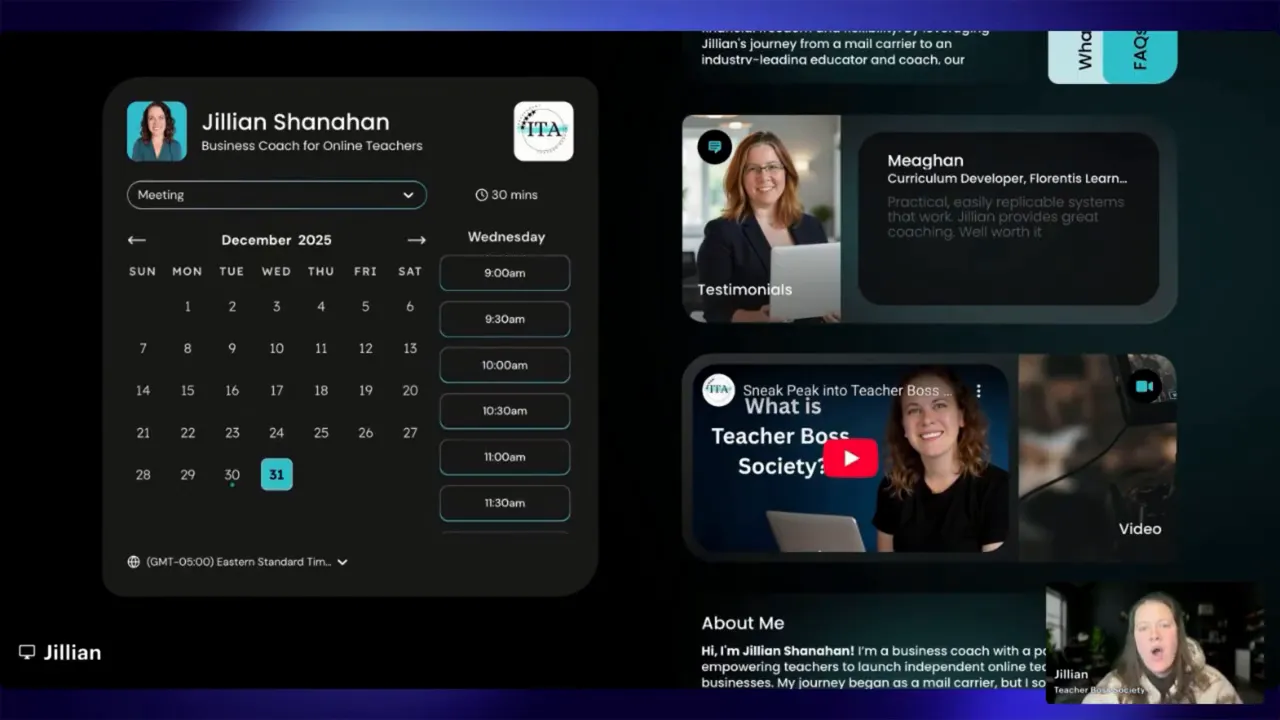
- Widgets and rich booking pages: embed intro videos, testimonials, FAQs, documents, and social feeds.
- Integrations with Zapier plus support for Tag Manager, HubSpot, and Pipedrive.
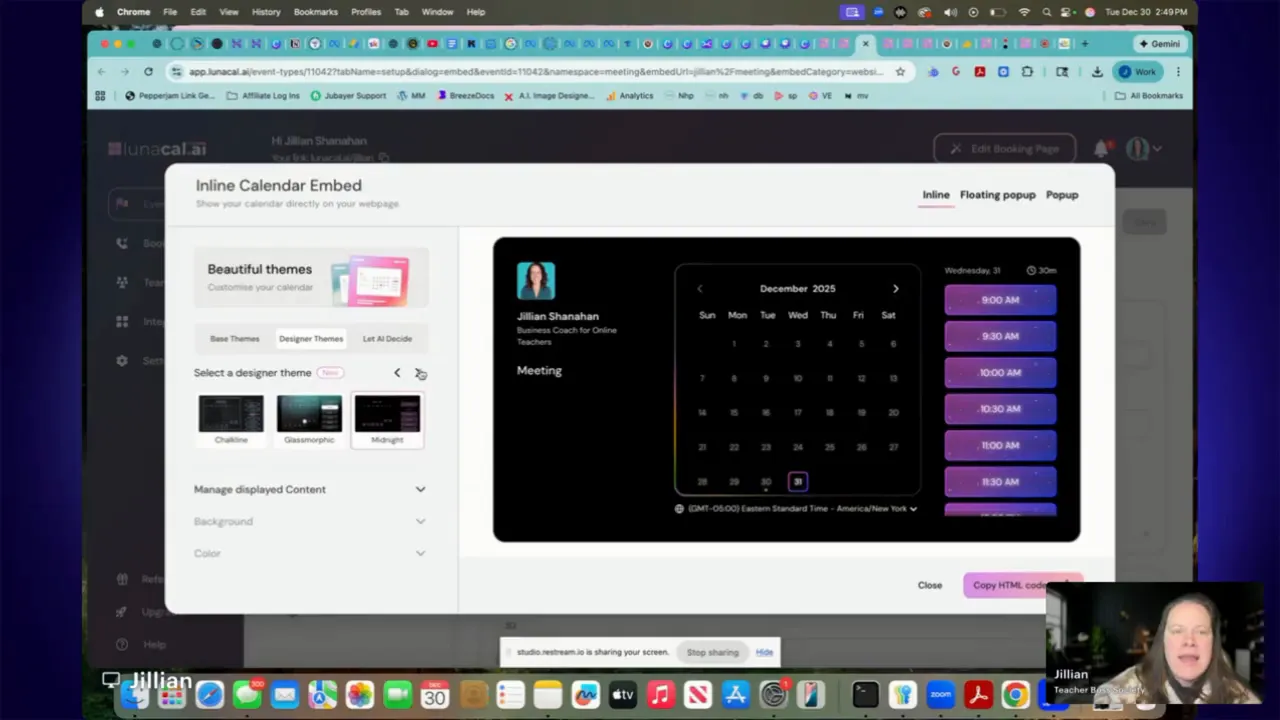
- Embed or popup scheduler for your website, plus designer themes via Beautifully Booked.
LunaCal vs Calendly for online teachers
Compared to Calendly, LunaCal offers richer booking pages with video, testimonials, group class scheduling, and built-in payment collection—features that are especially useful for online teachers and coaches.
First-time setup and the AI-powered prefill
Setup is fast. When creating a new account you pick a booking URL, time zone, and connect calendars and conferencing. An AI step will often pull publicly available information to prefill your booking page—bio blurbs, services, and even past podcast appearances—so you don’t have to start from a blank slate. That can save time, though you should edit anything the AI fills in if it’s inaccurate or too verbose.
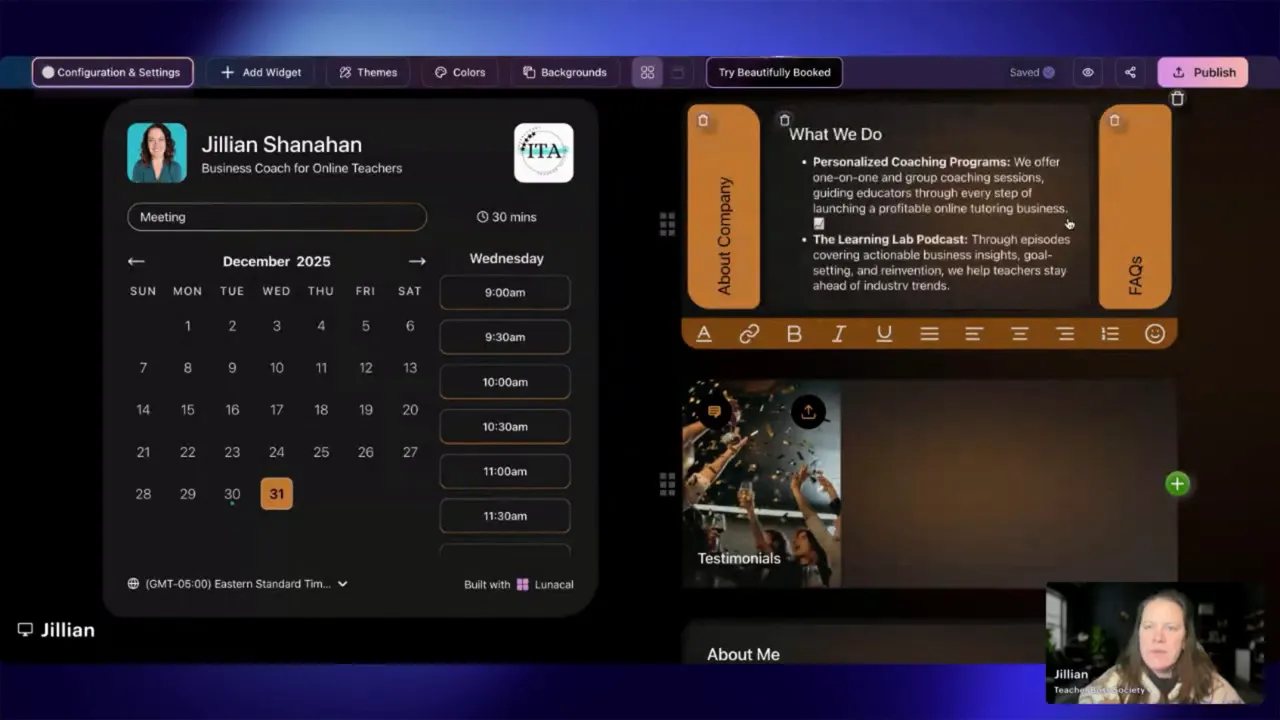
The booking page experience: themes, colors, and widgets
LunaCal’s booking pages are very flexible. You can choose from themes like Professional, Bold (dark), Playful, Noir, and seasonal designs. Designer themes from the Beautifully Booked collection add pixel-perfect layouts (glass morphic, peacock, midnight, and more) that look modern and polished.
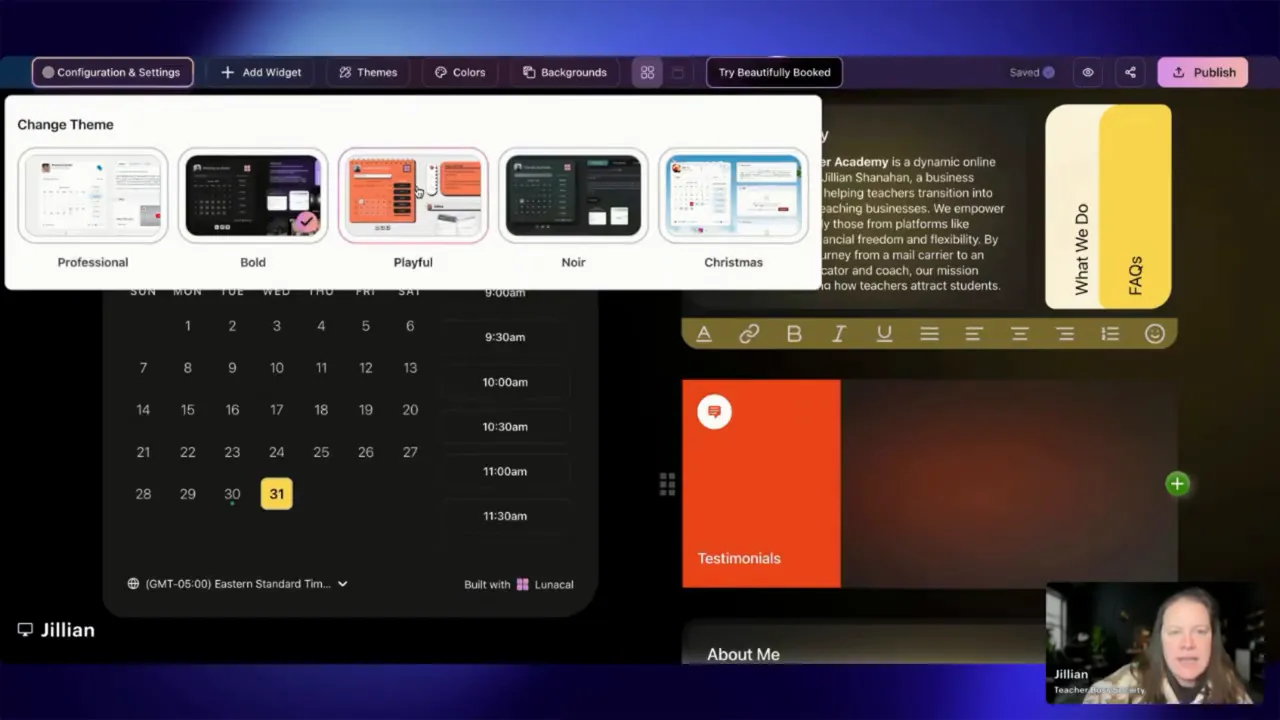
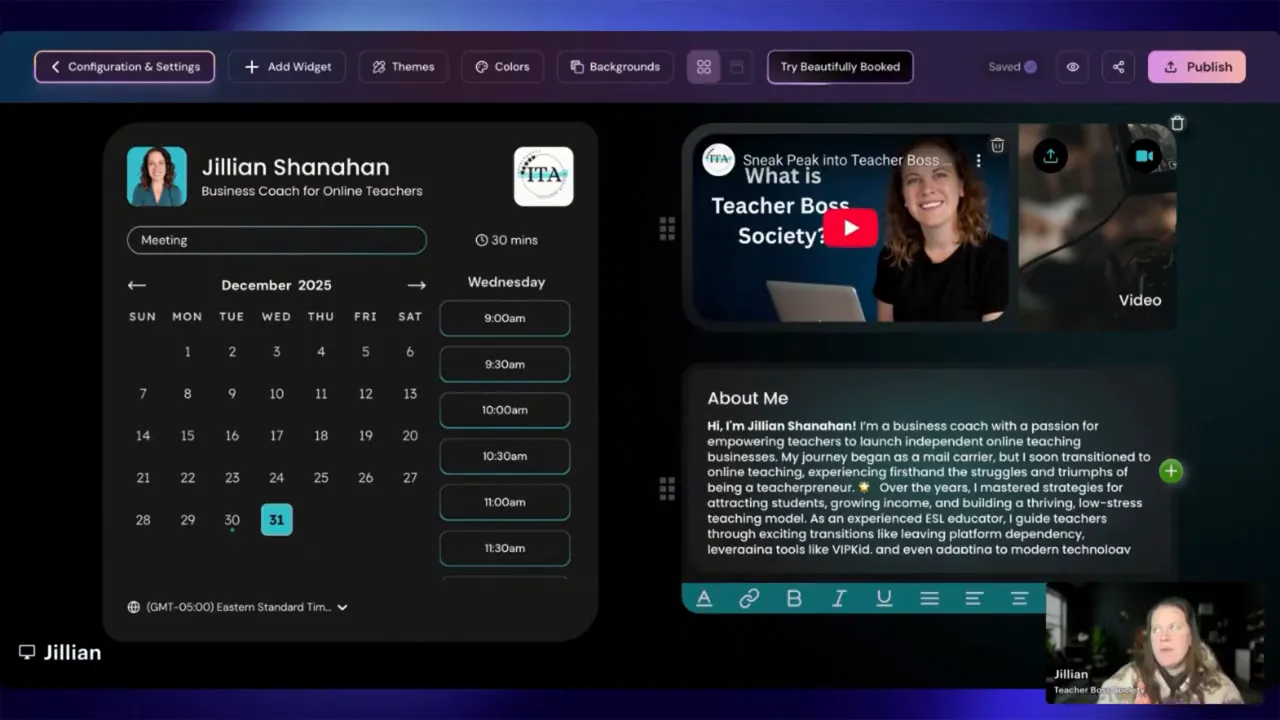
Branding options let you pick a single primary brand color and upload your logo and profile photo. Widgets let you add:
- Video embeds (YouTube, Vimeo, etc.) to explain the session or show a trial lesson
- Testimonials and FAQs
- Documents and social feeds
- Audio embeds (Spotify, SoundCloud) for podcast hosts or musicians
Events, availability, and payments
Create multiple event types (trial lesson, 60-minute coaching, group class) with distinct settings for duration, availability, booking limits, lead time, and cancellation policies. You can collect payments for paid meetings, create coupon codes, and integrate financial flows into your workflows.
- Booking limits: set how many bookings per event, how far in advance students can book, and minimum notice time.
- Payment options: Stripe and PayPal integrations, plus coupons and discounts.
- Booking questions: collect required information up front (student age, level, goals, etc.).
Workflows, notifications, and automations
Set up automated emails and reminders for confirmations, upcoming sessions, and follow-ups. Workflows can:
- Send a custom URL after booking (link to a pre-class survey or a welcome video).
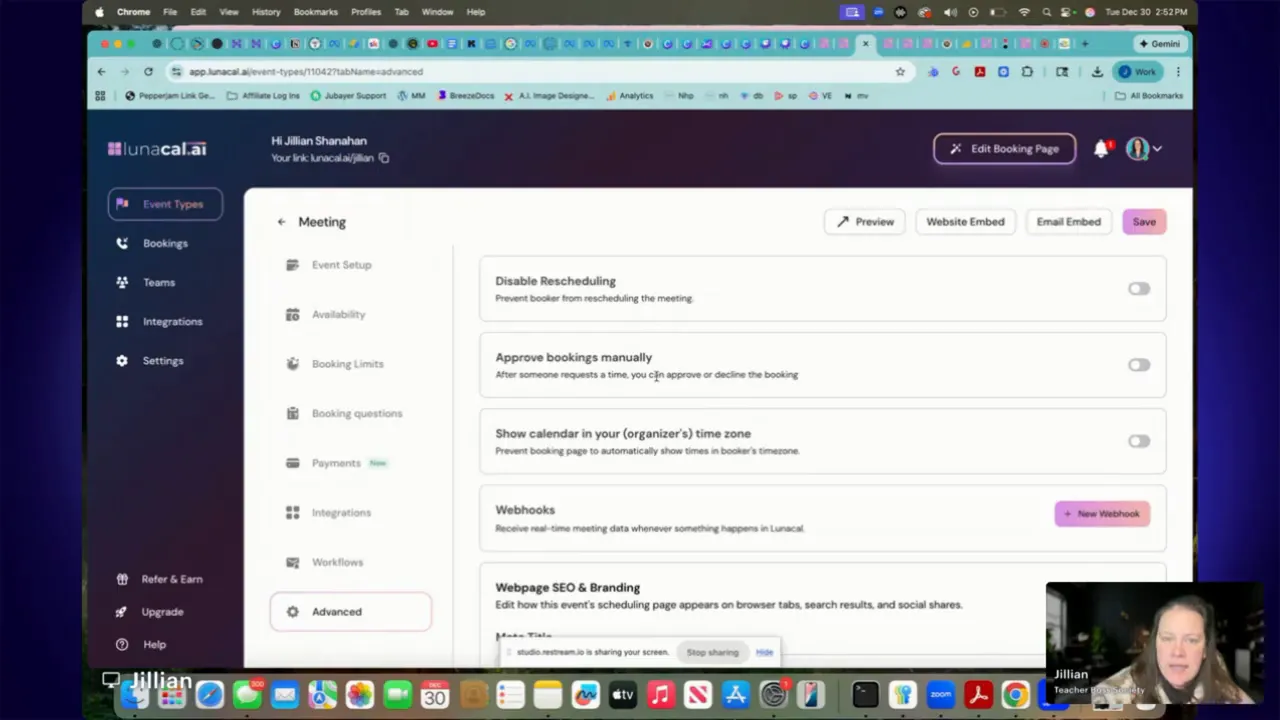
- Disable rescheduling or cancellations if you prefer manual control.
- Approve bookings manually when needed.
- Push booking data through Zapier to add students to an email list or CRM automatically.
Website embedding and popups
Embed the scheduler directly on your site, use a floating “Schedule time with me” button, or create a popup to catch prospective students. All of these provide HTML snippets you can paste into a site builder or WordPress page so bookings happen without leaving your site.
Teams, distribution, and scaling
For schools or businesses with multiple teachers, LunaCal supports team distribution so bookings can be assigned across multiple team members. Higher-tier plans support more licenses, which works well for agencies or multi-teacher schools.
Important limitations to know
- Some AppSumo tiers disable external links on the booking page (including WhatsApp) and multi-session packages. Check the tier details before buying.
- Advanced features such as webhooks and custom domains may require higher tiers.
- Embedded platform content (YouTube, Facebook) may not show inside certain regions—test with your target audience (the site appears to be reachable from China, but some embeds may not render there).
Final verdict and recommendation
LunaCal is a strong, affordable scheduler for independent teachers, tutors, and small teams. The combination of booking pages, payment collection, brand control, workflows, and integrations makes it a compelling alternative to more expensive schedulers. For many online teachers, tier one or two will cover the essentials. If you need external links, multi-session packages, custom domains, or webhooks, consider upgrading.
Personal take: I love this, and I think it’s the best tool I’ve found so far for booking. I am already planning on switching it for multiple businesses that I have.
Quick checklist to get started
- Choose your booking URL and time zone, then connect your calendar and Zoom/Meet.
- Select a theme and brand color; upload your logo and profile photo.
- Create core event types: trial lesson, standard lesson, group class.
- Set availability, booking limits, and payment/coupon options.
- Add a short intro video and one or two key testimonials to the booking page.
- Embed the scheduler on your website or add a floating popup/button.
- Connect Zapier or your CRM to automate enrollments and follow-ups.
How to try safely
If an AppSumo deal is available, the purchase often includes a refund window. That makes it easy to test the scheduler, switch your booking links, and see how it handles live bookings and payments before committing long-term.
Want to make switching easier? Migrate event titles and availability from current tools, test a live booking yourself, and verify payment flows and reminder emails before announcing the change to students.
Frequently asked questions
Is LunaCal good for online teachers?
Yes. LunaCal supports group classes, trial lessons, payments, and branded booking pages, making it well suited for tutors and online teachers. With all of the features that it offers, it creates a booking page similar to what you’re used to seeing with the big companies (intro video, bio, etc), allows bookings, and collects payments.
Does LunaCal replace Calendly?
YES. LunaCal includes scheduling plus payment collection and marketing-style booking pages, while Calendly focuses mainly on scheduling.
Is the AppSumo LunaCal deal refundable?
AppSumo purchases typically include a 60-day refund window, allowing you to test the tool before committing.
Leave a Reply