
Author: Jillian
-

How to Publish Your First YouTube Video
Publishing a YouTube video is a simple, repeatable process once you know the core steps. This guide walks through each part of the upload flow so you can go from file to published content with confidence: title and description, thumbnails and A/B testing, playlists and audience settings, monetization basics, end screens and cards, and final…
-

Make YouTube Thumbnails FAST with AI
Quick, consistent thumbnails help your content get noticed. You can create attention-grabbing, on-brand thumbnails in minutes using Galaxy AI‘s image generator and a little prompt craft. This guide walks through a simple workflow to generate thumbnails that include your face, show a clear message, and are ready to finish in Canva or your editor of…
-

How to Get Your First 5 Online Students in 2025
Introduction Getting your first five students feels impossible… until suddenly it isn’t. Every independent teacher I’ve ever coached has said the same thing: once those first few students arrive, everything gets easier. Your confidence grows, your schedule starts filling, and you finally see that you can build a real business from teaching online. And the…
-

How People Are Earning Real Money Through Facebook Monetization (And What Amy Jackson Teaches Us)
How are people making money on Facebook? We hear people talking about this all the time, but how is it even possible?
-

How to Create AI Images with Galaxy.Ai
Galaxy AI is a flexible, affordable tool for creating visuals quickly—perfect for content creators, online teachers, and small-business owners who need social images, thumbnails, or branded graphics without a steep learning curve. Below is a practical, step-by-step guide to using Galaxy AI’s image generator effectively, with tips on choosing models, setting aspect ratios, improving prompts,…
-
How to Get Through the Holidays as a Content Creator (Without Losing Momentum or Money)
Introduction The holidays can feel like a tug-of-war for content creators. Between family gatherings, shopping, travel, and the desire to take a break, your creative energy can dip right when your audience is most active. But here’s the truth: the holiday season is one of the most profitable and high-visibility times of the entire year.…
-
Create curriculum for ANYTHING in minutes using Diffit AI (Free Talk, Worksheets, Slides, Homework)
If you need ready made supplemental learning materials fast, Diffit AI is one of the handiest tools I have found. It generates reading passages, vocabulary, multiple choice and short answer questions, group activities, slides, exports and more—customized by language, grade, and standards. I use it for online teaching and classroom prep because it saves time…
-

How Email Marketing Can Help You Fill Classes Faster and Build a Thriving Online Teaching Business
What if you could fill your online classes with just one click? Email marketing gives online teachers the freedom to connect directly with parents, build trust, and grow consistent income—while most are still chasing likes.
-
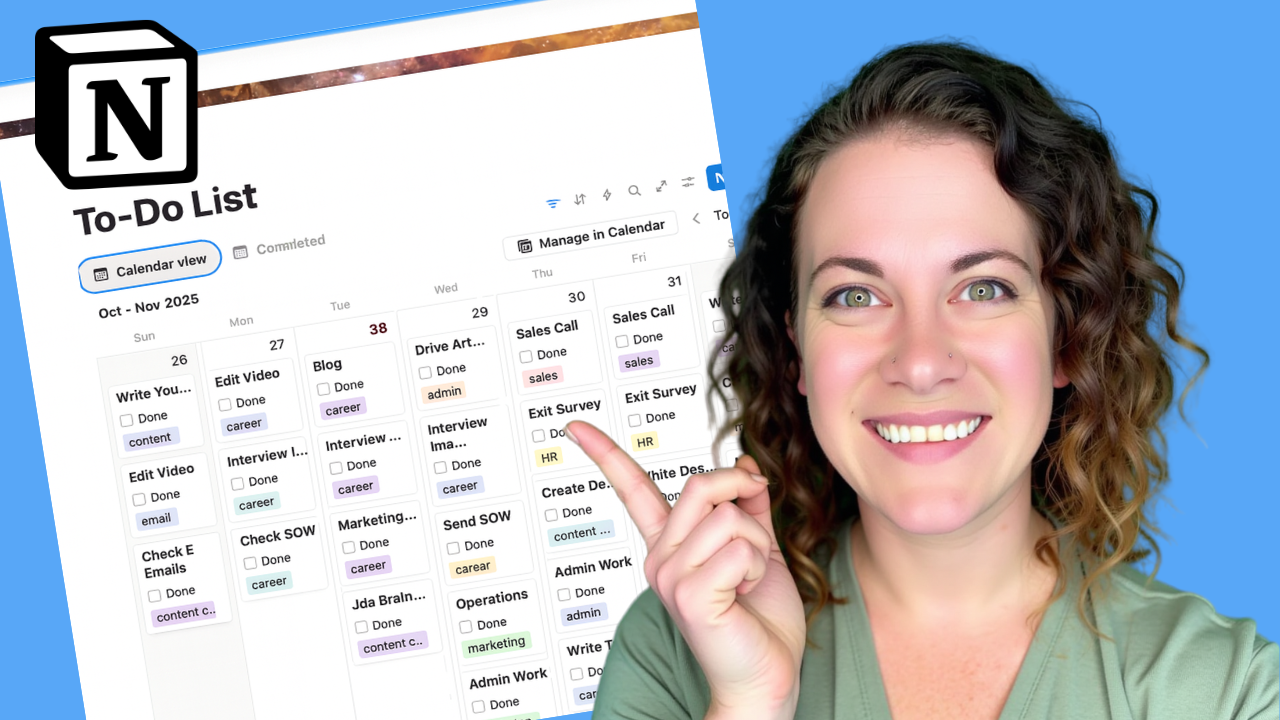
How to Create a Notion Checklist to Simplify Your Business Tasks
Learn how to create an automated, visually organized Notion checklist that keeps your business (and life) running smoothly. This quick guide shows you how to build a to-do list, set up filters, and even automate recurring tasks—all inside Notion.
-

Looking at AI Tools for Online Teachers
The other day, I did a live with Grant to show some of the tools that we can use for teaching online. If you’d like to see the list of tools instead of watching me fumble through the live, you can just take a look at this list. A big thanks to Grant for showing…